One of the goals of the project in which this software has been initially developed is to allow the implementation and test of new readout techniques for frequency multiplexed superconductive detectors. For new readout technique is intended a new scheme to generate the bias signal for the detectors and/or a new way to analyze the signal on the return line. This section describes the step needed to implement both a new transmission mode and a new analysis mode.
Prerequisites
In order to code the new algorithm the knowledge of two different languages is needed:
- C++: It's needed to modify the classes in the server in order to define the new readout scheme.
- Python: It's used in the client API. Once the new code is compiled in the server the user will need to implement functions to communicate with the server and/or calculate the necessary parameters. Usually it's a good idea to implement also a specific plotting function if needed. At last, a python program that calls that functions and analyzes the results will came in handy for using the new algoritms.
- OPTIONAL CUDA: The new algorithm does not have to be written necessairly in CUDA. The developer can implement the algorithm using whatever C/C++ API/abstraction/code is needed.
RX Packets real-time analysis
The best way to explain the implementation of an analysis algorithm is by following an implementation step by step. The algorithm we're going to implement is a "naive" or direct demodulator with it's custom reduction algorithm. The tutorial assumes that you have already developed and tested a GPU kernel or an analysis function that operates on two buffer pointers (input and output) and will only focus on the modality to incorporate the algorithm in the system. All the file and paths mentioned in this tutorial refers to the main repository folder.
Server part
Pick a short name to refer to your algorithm and add it to the enumerator w_type in the file headers/USRP_server_settings.hpp. In our case we'll choose DIRECT to indicate direct demodulation.
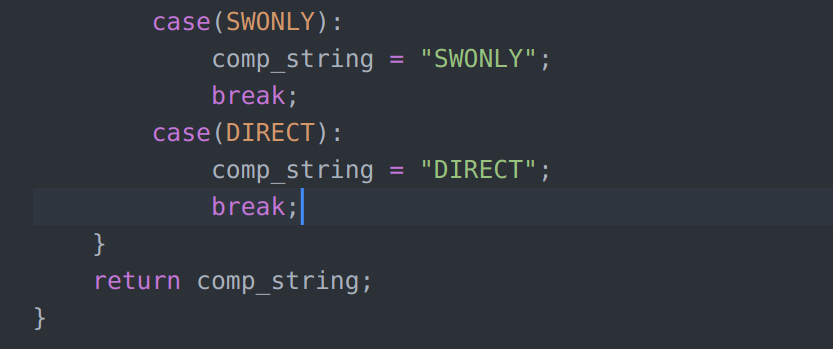
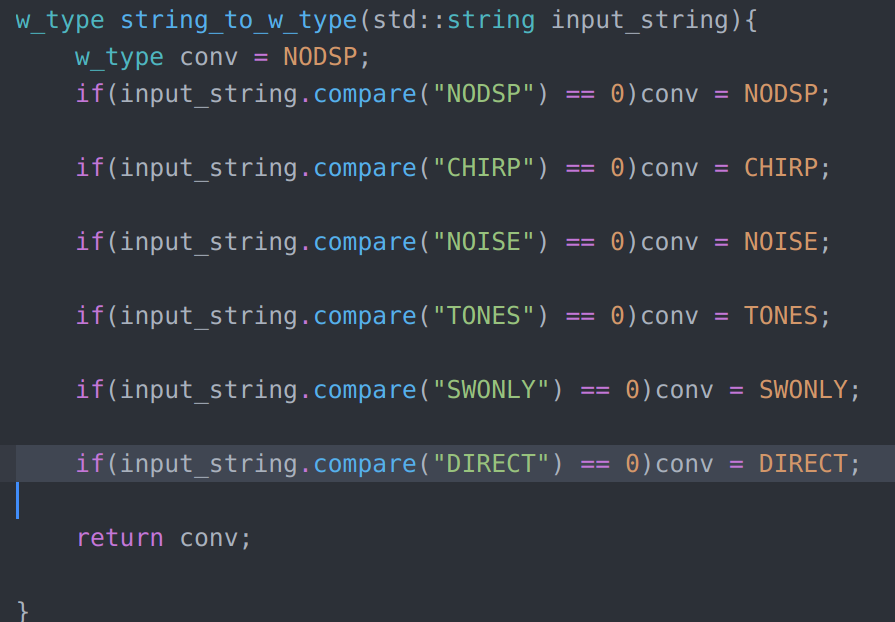
Update the functions to translate the enumerator to sting and vice versa to consider the element just added. Those functions are w_type_to_str and string_to_w_type in the file cpp/USRP_server_settings.cpp.
w_type_to_str need to handle an other case corresponding to the case just added. Simply copy-paste one of the above cases and substitute your enumerator/string.
string_to_w_type: Copy-paste one of the line with the if statement and replace with your enumerator/string.
- Warning
- The name you choose for the enumerator and the string you are replacing should be the same or at least the same pair in the conversion functions.
- Optional Implement server-side checks on the initialization parameters by editing cpp/USRP_JSON_interpreter.cpp. This part of the documentation is still in preparation. For now it's suggested to implement checks on parameter on the client side of the application. See the section on how to add parameters to the communication protocol to know where to implement these checks.
- Optional Add new parameters to the communication protocol. The custom communication protocol implement only a limited number of parameters (LO frequency, decimation, swipe frequency and so on) but you may want to add some parameter to control your DPS operations. There is an apposite section for this at the end of this chapter. A detailed list of the currently available parameters and their meaning is available in the communication protocols chapter of this guide
- At this point the server receive via async TCP channel the keyword representing your DPS algorithm and propagates it to the RX_buffer_demodulator class in cpp/USRP_demodulator.cpp. We have to modify this class in order to make it handle our special case. First thing to do is to handle the initialization: go to cpp/USRP_demodulator.cpp and modify the switch statement of initialization of the RX_buffer_demodulator class by adding the case corresponding to your DSP label.
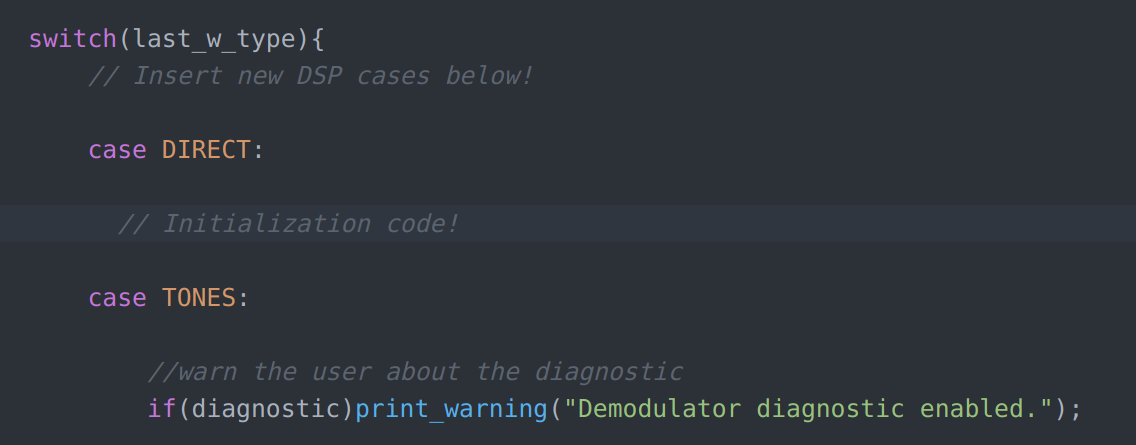
- The direct demodulation of multiple tones poses the unusual problem of being capable to expand the data size in respect of a single buffer acquired from the SDR. If the product of your operation is potentially bigger than the original data buffer we need to tell the server to pre-allocate more memory for data processing than for data acquisition. This is realized in the Adding new parameters section.
- In the initialization of RX_buffer_demodulator the class members #RX_buffer_demodulator::process_ptr and #RX_buffer_demodulator::clr_ptr, which are function pointers, must be assigned to two functions that we are going to write. Add to the class declaration in headers/USRP_demodulator.hpp all the variable needed here. It's not encouraged to re-use variables already in place for other DSP schemes.
- #RX_buffer_demodulator::process_ptr will point to the function that will process a single data buffer. This function has to be a member of the RX_buffer_demodulator class (declare it in the headers/USRP_demodulator.hpp file) and has to have the following form:
int RX_buffer_demodulator::process_<your name>(float2** __restrict__ input_buffer, float2** __restrict__ output_buffer){
return <valid buffer length>
}
- #RX_buffer_demodulator::clr_ptr will point to the function that clears the initialized values when the measure ends. The function must be a member of RX_buffer_demodulator class (declare it in the headers/USRP_demodulator.hpp file) and must have the form:
void RX_buffer_demodulator::close_<your name>(){
cudaStreamDestroy(internal_stream);
return;
}
Client part
The client part of adding a new readout method is entirely developed in Python.
## Adding new parameters Adding new parameters to the communication protocol requires the modification of a couple of of C++ and the modification of the parameter Python class. All sort of types can be passed as well as arrays (in the form of lists/numpy in Python and STL verctors in C++). As example we'll illustrate the instroduction of the
parameter needed by the direct demodulator.
C++ part
- Modify the struct #param in USRP_server_setting.hpp by adding the new parameter. In this case we're adding data_mem_mult:
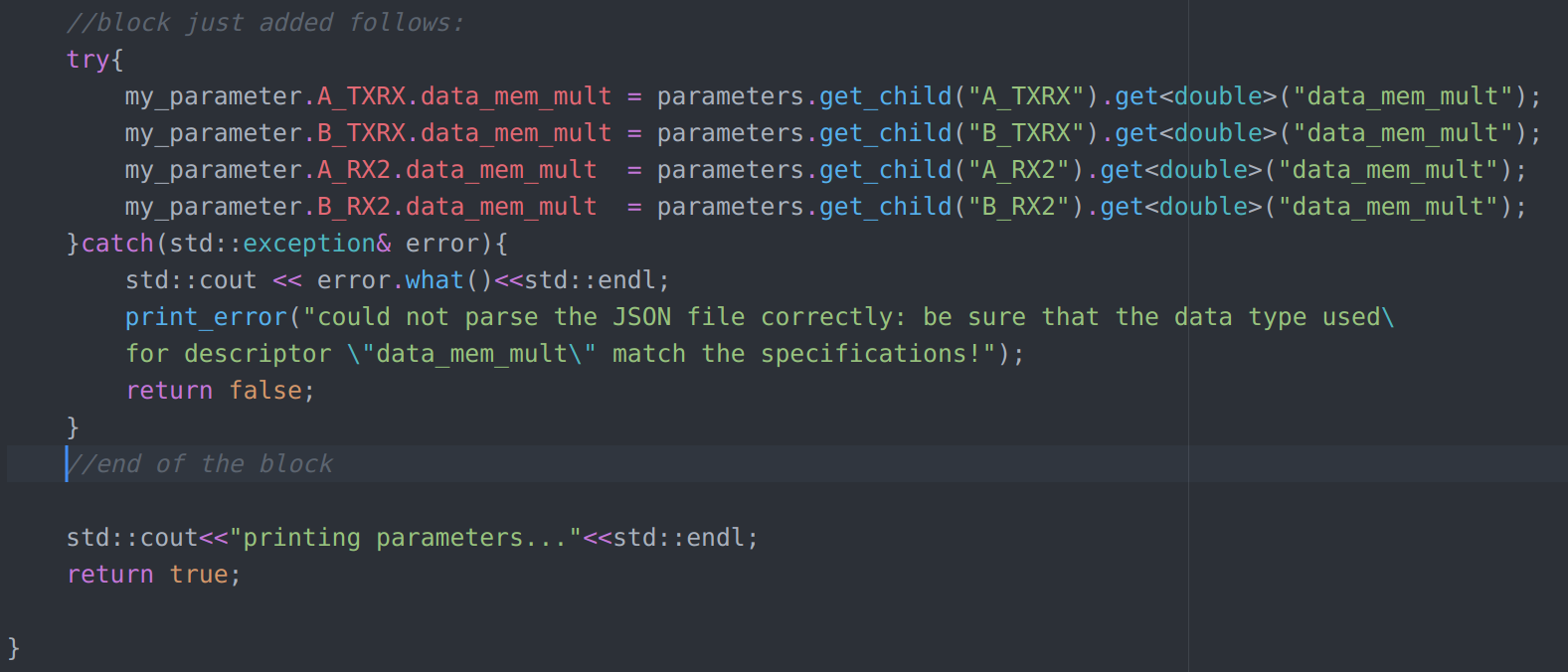
- Modify the string2param function in USRP_JSON_interpreter.cpp by copy-pasting a try-catch block and filling with the parameter just added. Take note of the string key you use as it has to be the same in python.
- Note
- There are two kinds of blocks here. One uses the get_child() method and it's ment for single values (one per each channel) while the templated function as_vector manages array interpreting.
- The param structure can then be used inside the RX_buffer_demodulator #TX_buffer_generator classes directly as it gets propagated. The case of the example will be used instead during the memory initialization phase which is not covered in this guide.
- Note
- Even if the new parameter has been implemented as a
size_t, the JSON conversion function template is specialized as double. The value is then implicitly cast.
Python part
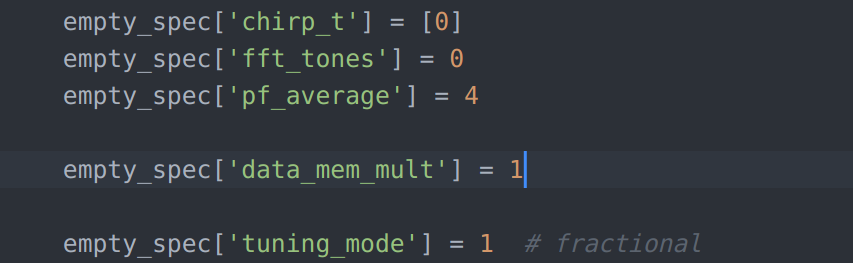
- Modify the global_parameter object in the pyUSRP/USRP_files.py file by adding:




 1.8.13